Files #
/files lists the artifacts in the FileStore — images, waveforms, byte
streams, and any other file a test recorded via observe(name, value) or
files.write(...). Each row links to a per-artifact detail page with an
inline viewer and a download button.
Reach it from the Files entry under DATA STORES in the sidebar.
Filters #
Filter widgets render above the table:
- Type — dropdown of the MIME types (or file extensions) actually present,
(any)by default. - Filename contains — case-insensitive substring match on the filename.
- Since / Until — created-at date window.
- Session — set only by deep-links from a run (
/results/{run_id}→ Files), shown as a banner with a Clear affordance. There is no session picker; operators scope by date / name / MIME, not by session UUID.
Table #
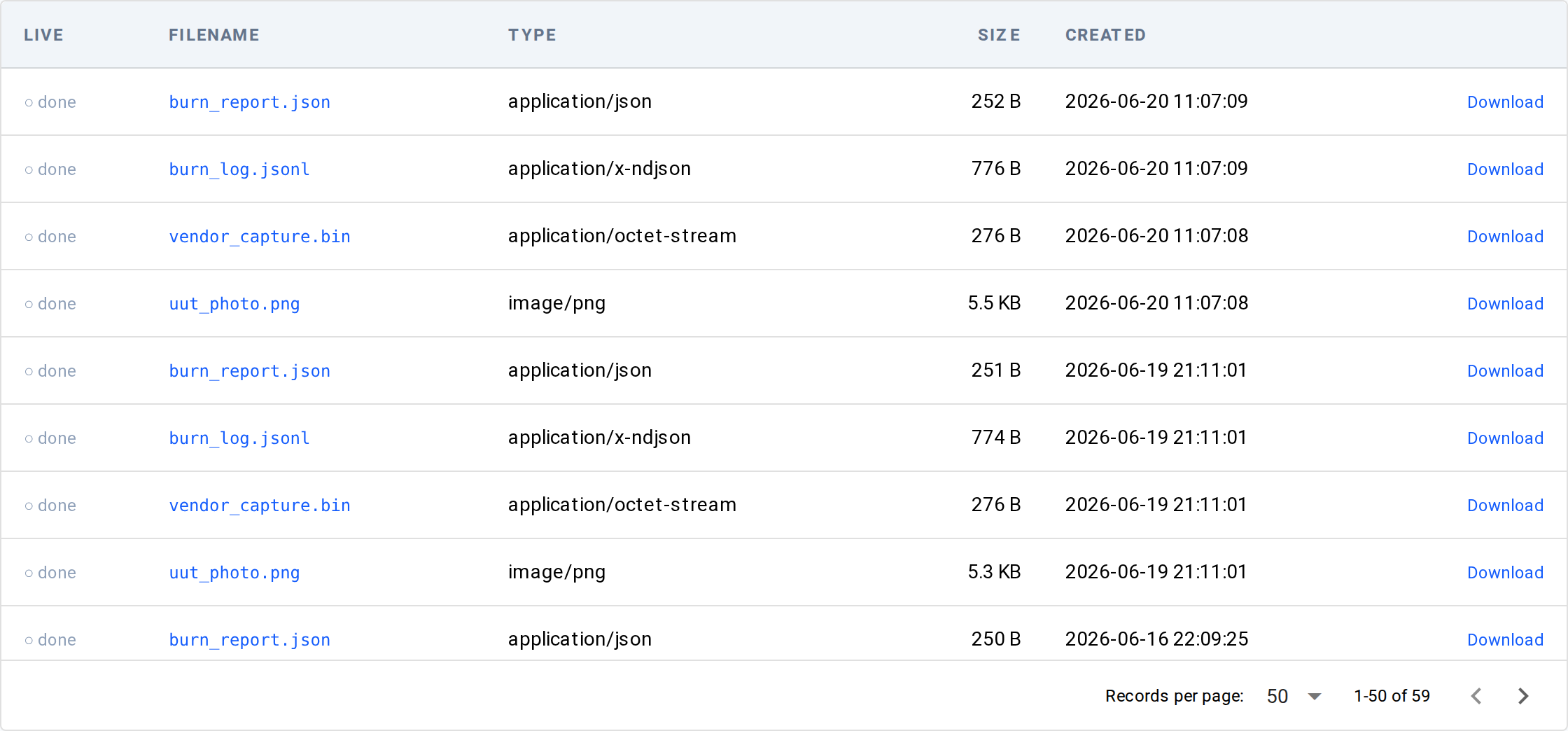
One row per artifact:
| Column | Meaning |
|---|---|
| Live | ● live while the artifact is still being written (a stream), ○ done once finalized. |
| Filename | The artifact's name (the name passed to observe / files.write, plus the format's extension). |
| Type | The recorded MIME type, or the file extension when the sidecar MIME is absent. |
| Size | Human-readable file size. |
| Created | When the artifact was written. |
| Download | A link that saves the artifact. |
Clicking a row opens /files/{date}/{session_id}/{filename}.
Detail page — viewer + download #
The detail page shows a metadata card (MIME, extension, size, modified, and the session it belongs to) and an inline viewer chosen by file type. Supported viewers:
- Image (
.png,.jpg, …) — rendered inline. - Video (
.mp4,.webm) — played inline. - JSON — pretty-printed.
- JSONL (
.jsonl,.ndjson) — one row per line in a table. - CSV — parsed into a table.
- Text (
.txt,.log,.md) — shown as plain text. - NPZ — a
Waveformchart. - NPY — array stats.
- Anything else, or files over the viewer size cap — a hex / download fallback.
The Download button saves the artifact rather than rendering it inline; it works on every deployment.
Bookmarkable URL state #
The list mirrors its filters into the URL (?mime=, ?name=, ?since=,
?until=, ?session_id=), so a filtered view is shareable. The detail page's
URL is the artifact's full key — /files/{date}/{session_id}/{filename}.
Underlying data #
Rows come from the FileStore catalog (the litmus_files MCP tool and
GET /api/files/catalog expose the same list), never from a directory scan.
See also #
- How-to: capture an artifact —
observe/files.write/files.stream - Concepts: the three verbs — how
observeroutes a file to the FileStore - Channels — the time-series sibling store