Dashboard #
URL: /
The home page. Two short sections: configured stations as cards, and recent runs as a compact table. For a fresh install with neither stations nor runs, the page swaps to a three-step Getting Started card instead.
Stations #
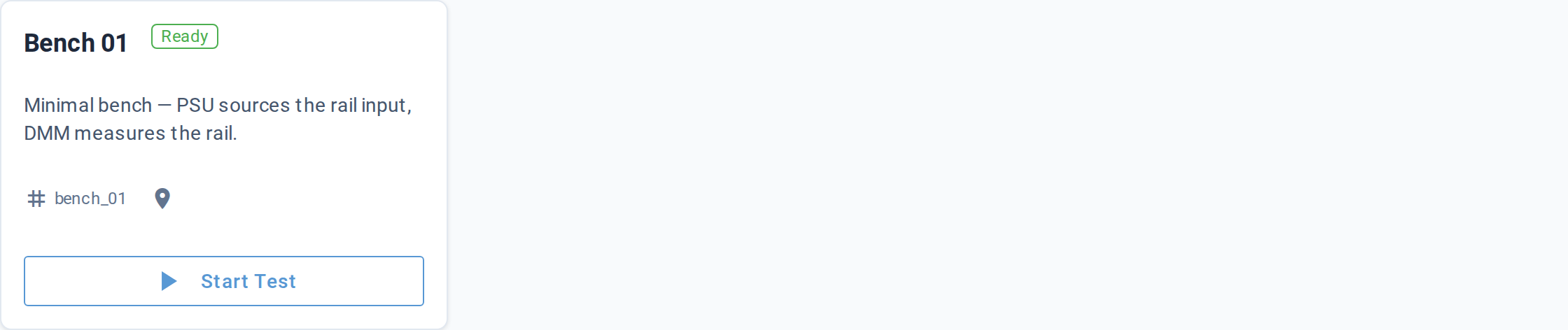
One card per station configured in the project. Each card shows:
| Element | What it shows |
|---|---|
| Title | Station name (falls back to the station id if the name is left blank) |
| Status badge | A green outlined Ready badge |
| Description | The station's description, when set |
| Identifier row | Station id + location, prefixed with tag and pin icons |
| Start Test button | Jumps to /launch?station=<id> (Launch Test, prefilled with this station) |
When no stations are configured but runs exist, the section renders
an empty-state card naming the cause and the next step — add a station
YAML under stations/.
Recent Runs #
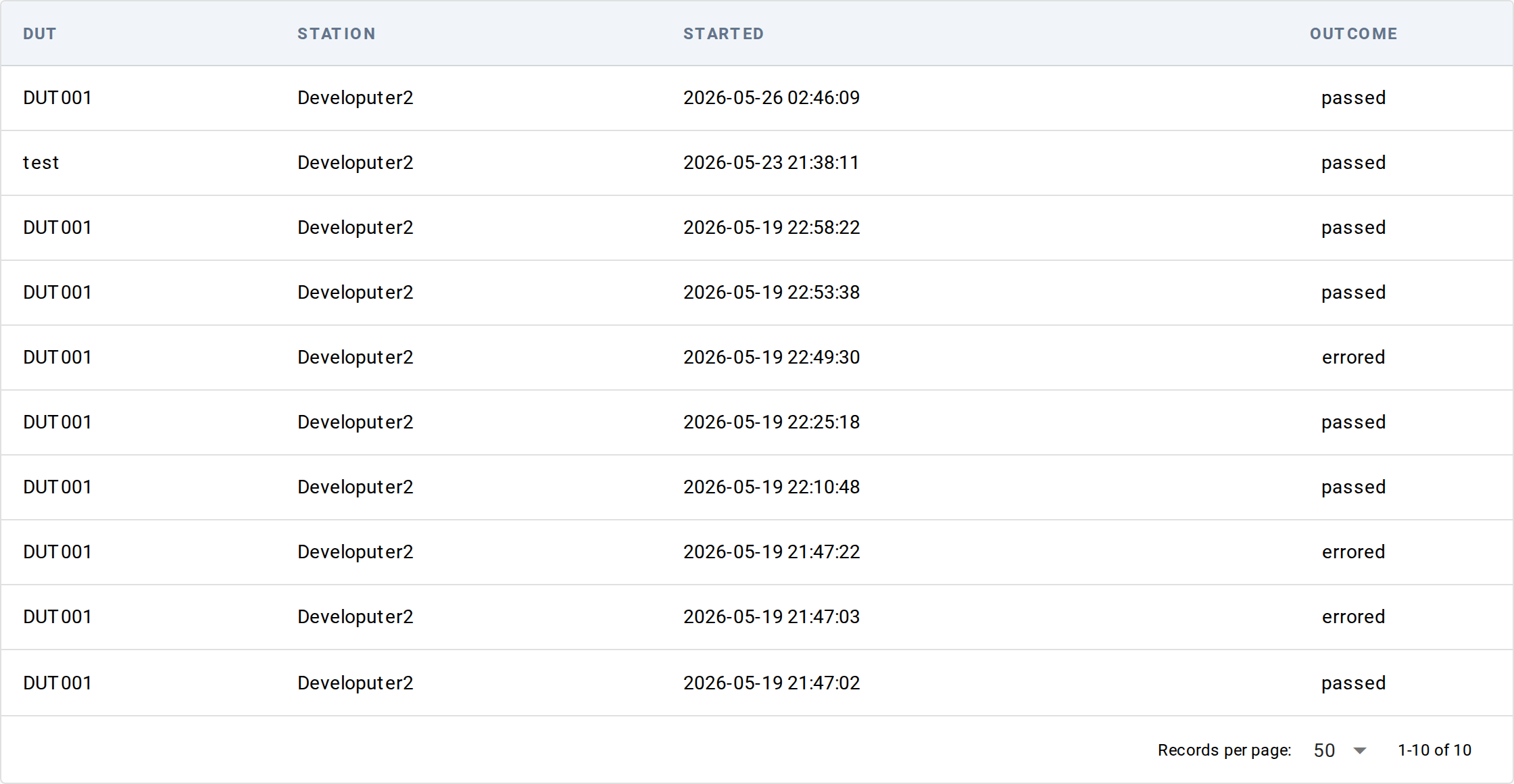
A 10-row table of the most recent finished runs across the project. Runs still in progress (not yet finished) are NOT shown here — open the Results list to see them. The Dashboard's table is deliberately a quick-glance summary.
| Column | What it shows |
|---|---|
| UUT | UUT serial number |
| Station | Station hostname (the machine an operator recognizes), not the internal station id |
| Started | Run start timestamp, browser-local time |
| Outcome | Outcome status; a bell badge appears (linking to the live view) when the run has operator dialogs waiting |
Click a row to open the Results detail for that run.
When no runs have been recorded yet, the section renders an empty-state card naming the cause and the next step — launch a test to populate the list.
Getting Started (empty state) #
When the project has neither stations nor runs, the page swaps to a Getting Started card with three numbered steps:
- Create a station — buttons for "New Station" (jumps to the
create-station form) and a one-liner pointing at
litmus station initon the CLI - Write a test —
litmus new-test <name>command snippet - Run it —
pytest --mock-instrumentscommand snippet
Below the steps, a hint card points at litmus init --starter for
authors who'd rather start from a fully populated example project.
Live updates #
The Dashboard loads its data once when you open the page; it doesn't update live — refresh the browser to pick up new runs or station changes. (The one exception: a run's pending-dialog bell badge refreshes on its own every second.)
Underlying data #
- Stations come from the local project's
stations/directory - Recent runs come from the same runs index as Results list
Common tasks #
- Open a station's launch form — click
Start Teston the station card - Drill into the latest run — click any row in Recent Runs
- Bootstrap a fresh project — follow the three steps in the Getting Started card
See also #
- Launch Test — start a new test session
- Results list — full run history beyond the 10 shown here